Graphic design

logo design tips
Graphic design, logo design

12 Logo Design Tips For Beginner in 2024

Going to start your business… Here are the most effective Logo Design Tips and Techniques To Make Your Brand Successful in 2021. Creating a good logo design is an art! And a good designer knows how to make a brand successful just by designing a perfect piece of a logo (brand identity). Being a professional logo designer, I always want to share a well communicating ‘design brief’ to my client and customers to create a logo that directly communicates with the target market. As we are approaching to 2021, so the logo design needs to be more convincing and engaging so the customers can directly engage in business. Effective design and branding give you the opportunity to grow by achieving goals within time. A small piece of the image (logo) can make a big difference for your business to achieve your target. 12 Creative Logo Design Tips To Make Your Brand Successful So here are the tips and techniques for your logo brand to make a perfect logo that directly speak to the target audience to make them engaged. Fully Understand the Brand Research Key Competitors Analyze Color Psychology Typography is the Key Discover Logo Type Master the Idea with Sketch Make it Vector Empower With Minimalist Design Make it Unique Be Creative Focus on Timeless Design Engaging Design Deliver More 1) Fully Understand the Brand Before start designing it’s important for every designer to share a good design brief with their client to get the complete picture of the business that’s going to start. A smartly designed ‘logo design questionnaire’ can make this job easy to get all the potential information about the business. Being a professional designer, It’s important for me to take all the necessary information about the brand design, target market, demographic and brand reach. If you have solid information with you then it will be easy to make a stunning design. Understanding brand ideology is also important for designers before starting a design. In this way, you will learn the complete set of attributes that the business reflects. In fact, it will help to analyze the brand personality to make an inspiring piece. I’d like to share my best practice that varies with different clients. Many business owners are not good at providing information and they only share what they want. So if you are dealing with such clients then it’s your responsibility to communicate them properly about the importance of getting information. I personally take information about the brand by using my logo design questionnaire that gives me a complete picture of the brand. So it becomes easy for me to start designing in the right direction to create a perfect piece of designing with less revision. I must say, understanding brand before design will save your time and effort to create a good design that people love. 2) Research Key Competitors Now the next phase after understanding the brand is to research their successful and failed competitors based on their target market and demographics. Competitor analysis is important before start designing. Making a brand is the most sensitive art that you are going to create so what the competitors are doing is important to know to create a killer brand. As a logo designer, my strategy to analyze competitors is to make a piece of design that makes it distinguished among competitors. And, it will not achieve without delving in a competitor brand.   3) Analyze Color Psychology Yes, it important! for every brand to communicate with effective colors according to the nature of the brand. Understanding to integrate graphic objects with true colors is the most important part to engage the target audience. Basically, colors play a vital role to make a decision about the brand by its audience. It gives you a vibe to become a customer :-) So for a logo designer, it’s important to know the exact meaning of the logo brand to enhance it with true colors. Learning color psychology is an art especially when it comes to branding. Speaking with the true colors related to a brand can make your brand successful and if you are targeting colors that are not overwhelmed by its audience then it will be a failure. Colors give the vibe to interact. So sensibly using the right color for the brand can make it more powerful to penetrate the market. There are many examples and case studies of brands that people love because of attractive design and justifying colors. Adding color doesn’t mean to make it packed with different colors without knowing the science behind it. Use the right color after knowing the brand to make it attractive and eye-catching. It adds maturity to the brand if you are using the right color. Color basically invoke emotions and feeling. Playing with customer’s emotions using color is one of the ways to make a perfect brand. Here is some color guidance that will help to make a stunning piece based on your design brief. RED: Mainly symbolize excitement and best to get people’s attention. Many real estate logos based on red color with the addition of black to make it eye-catching for their target market. BLUE: Symbolize loyalty, peace, trust, and competence. One of the most adorable shade to create stunning logos. ORANGE: One of the most used colors for brands. Clearly gives a message of being creative and enthusiastic. It gives a happy vibe so many creative and corporate organizations incorporate orange in their logo. GREEN: Simple gives a vibe of being peaceful. Growing and healthy message communicates when you use green. Many health and fitness companies use green to represent their brand. YELLOW: It brings vitality and warmth. Gives a sign of optimism! Many beverage and food companies incorporate yellow in their logo. BLACK: Brings maturity and tranquility within the design. So using the right color for a brand is the science and a good logo designer understands the psychology of the target audience to make it engaging. 4) Typography […]

Graphic design

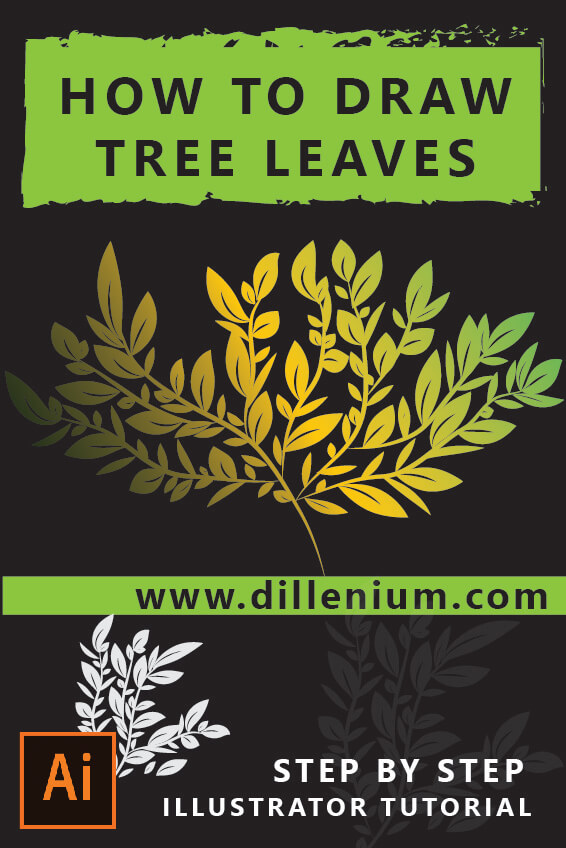
Tree Illustration Vector – How to Make Leaf Brush – Illustrator Tutorials

Tree Illustration Vector (Video): Here is a quick and easy adobe illustrator video tutorial for beginners looking at how to make leaf brush to create a tree within 5 minutes. Very simple and easy to follow steps and make a tree to add in your branding projects. In this tutorial, first, we will create a leaf brush that will help to drag leaves around the tree. Simple quick and easy way to do using the brush. For this, we will create 2 types of brush one with stripe and other without stripe. In the next phase, we will pack the tree with brush leaves. It’s a fun part of this design. If you are doing this first time you will surely enjoy this step. I personally loved it. Instant Download: Vector Tree Illustration (PNG) – Transparent File SEE ALSO: 25 Illustrator Tutorials for Beginners Vector Leaf Illustration Video (Step by Step) Quick and easy way to work on vector tree illustration. Let’s delve into it. Format: AI  Illustrator Version: CS6 Resolution: 300 PPI Color Mode: CMYK How to Make Leaf Brush and Vector Tree (Step by Step) Open new file in Adobe illustrator. Set the artboard. Now create a background layer using the rectangle from the shape tool. Used white-gray background color. Press Ctrl 2 to lock the layer. Make a Leaf Illustration: Choose the ellipse tool from the shape section and drag a small oval on artboard. Keep it black in color without a stroke. Select the oval. Now go to Pen tool and choose Convert ‘Anchor point tool’ option. Click on both edges of the oval to make it pointed and sharp. Now it will show the structure of leaf. Take a copy of this and keep on the side. Now using pen tool, create a curved stripe and keep it at the middle of first leaf at the bottom edge. Select leaf and strip together and go to Window – Path Finder. Select Subtract option. It will show the striped leaf structure. Click on another leaf and make it longer and slim. Now both leaves are ready to go to brush library. Let’s Make Leaf Brush: Now go to Window and choose Brush or Press F5 to open brush window. Drag the first leaf in brush library to create Art Brush. Check the settings from the video and click ok. Use the same setting and create another brush. Now remove leaf from artboard as it’s been added to brush library. Let’s Make Tree Branches: To make tree branches, select leaf without strip from the brush library and using the paintbrush tool with minimum stroker size draw random branches as showing in the video. Now select all branches and go to Object – Expand Appearance. Group all the layers. Change the color to brown. Let’s Draw the Leaves: Pick the Brush option from the tool section. Select striped leaf from brush library. Properly set the stroke size to make the perfect leaf. Now drag leaf on branches as showing in the video. Pack the tree with striped leaf Now repeat the same method and drag the nonstriped leaf on tree. Make smaller, bigger and longer tree to create a complete tree structure. Let’s Color the Leaves: Now select each and everything together and go to Object – Expand Appearance. Change the color by choosing the default gradient. Open Gradient Window (press Ctrl F9) Now add color shades of light green, yellow and dark green. Select everything and use the blend option to make a smooth look of tree. Now the tree is ready to save and import.       5 Key Points to Drag Perfect Leaves on Tree It’s important to understand the hand formation while dragging your leaves on branches. Here I am sharing some key points based on my best practices. Try to drag leaves with different stroke sizes. Choose the best stroke size to place on the leaf. Hand formation is important. Drag in a straight line and with the curve to show different angling of leaf. By using different hand angles, you can make a leaf with a different look that will make a realistic tree structure. So guys, it’s is easy to make vector tree illustration in adobe illustrator. You can make your own tree within 5 minutes. If you are a beginner or making tree first time then try again and again to be the best. Happy Designing and Happy Watching!

Long Shadow Illustrator (Video) - Adobe Illustrator Long Shadow Text Effect
Graphic design

Long Shadow Illustrator (Video) – Adobe Illustrator Long Shadow Text Effect

Working on the trending ‘long shadow‘ illustrator text effect then here is the step by step video guide for beginners to create and download these type of text effect with editable AI file.   SEE ALSO: 25 Illustrator Tutorials for Beginners Quick and easy way to work on shadow effects. Let’s delve into it. Format: AI Editable Layers: Yes Illustrator Version: CS6 Long Shadow Illustrator Video Long Shadow Text Effect (Step by Step) Using Shape tool, create a rectangular box within the artboard and give it a color. Now take Text tool, and write text. Increase the size of the text and place it in the middle and center of the cardboard. Now go to Effects – Stylize and Drop Shadow (Note down the values in shadow window) Again go to Effect – Distort & Transform – choose Transform option. Turn on Preview mode Now make 6 copies Move Horizontal and Vertical Position and set it accordingly. Press Ok. Now change the color of text and easily change the text that you want. The editable text-shadow effect is ready to use.  

logo design software
Graphic design

Top 5 Logo Design Software To Create Professional Logos in 2020

Looking to create a professional logo design for your business then here you can find the top 5 “logo design software” that you can use in 2020 to make logos as a designer and as a business owner. You can easily design your professional logos that will give a distinguished look among competitors and make your brand successful in a first glance. A logo is the brand identity for any business so it needs to be a professional design that can attract the target market in a first glance. If your brand is visually appealing and eye-catching then your customers can easily recognize your business. Big brands have special significance due to its memorable logos. So if you are beginner and learning logo design then start with this software as it will give you more power to polish your skills as a professional logo designer. What is a Professional Logo Design? Professionally designed logos are the most prior requirement for any business success. Its an identity of your brand or business that needs to be professional design using the right skill set. Software plays a big role to design a professional logo. It helps to create sharp, HD, web-compatible and, print-friendly logos. SEE ALSO: Logo Design Process Which Software is Best for Logo Design? When it comes to design a professional logo design then vector logos (EPS FILE)  are most demanding and popular. It covers the standards of logos. Vector logos basically creates images that don’t lose quality when scaling up and down. Every software has a different significance when it comes to design so let’s delve into it one by one. Top 5 Logo Design Software Many companies are in the market working on graphic design products but few are the legends that helping their customers to create high definition graphics that can be used professionally without losing the quality. 1) Adobe Illustrator – Create Vector Logos (Recommended) Adobe illustrator is basically the most recommended vector graphics software to create professional logos and other graphics. Normally used by professional designers. If you are looking for the best logo design software then I must recommend to go for it as it allows you to create professional logos with the best features. In Adobe Creative Suite, you can find this software. By using this software, you can not only create standard logos but also helps to create a complete branding kit. Adobe Illustrator CC is the new version with more functions and outstanding features that will help you to create logos in more detail. Super faster and build graphics with 100% accuracy. The best part is to download the trial version of Adobe Illustrator software by using below method: Create an Adobe ID account. Sign in with the ID. Open “Creative & Design” and choose “View all products”. Search Illustrator and press the button of “Download trial”. By using Adobe Illustrator CC, you can create high definition, print-friendly and sharp logo design that you can use on billboards, flyers, t-shirts and other business purposes. If you are passionate to create logo design then surely go for this software and use your creativity with available features to get great logos. DOWNLOAD ADOBE ILLUSTRATOR FREE TRIAL Adobe Illustrator Easy To Use Trial Available Monthly Billing Supported By: Windows, Mac Step By Step Logo Design Tutorial in Adobe Illustrator If you are a beginner and looking to create your own logo design in Adobe Illustrator. Here is a simple step by step tutorial that will help you to create a professional logo. 2) Adobe Photoshop In Adobe family, Adobe Photoshop is the most famous software as everybody knows about it due to its superb editing feature. It has a class to create a masterpiece of any design. If you want to create glittery, shiny and embellishing logos for the brand then you must try this software as it has special features that will create amazing logos. Many designers are using adobe photoshop to create professional logos. It has some stunning filters, plugins, textures that will transform an ordinary design into a special one. If you love to design and passionate about picture editing then surely download this software. Available as a trial to download. If you want to become an expert in editing and manipulation then it’s the most recommended software due to its special features. Also recommended to create the web design that is fully optimized and packed in smaller file size that helps to load with the high response time. One thing that makes Photoshop a step back as it not allow to create vector files. So if you scale up the file it will pixelate that the reason why most of the designers prefer Adobe Illustrator to design logos. DOWNLOAD ADOBE PHOTOSHOP FREE TRIAL Adobe Photoshop Easy to Use Trial Available Monthly Billing Supported By: Mac, Windows 3) CorelDraw One of the best logo design software to unique and powerful logo designs by using all the creativity provide by CorelDraw graphic suite. Designers can easily create professional logos in an easy way. The best thing that I love about Coreldraw as it allows us to integrate vector with bitmap objects. Many designers are using Coreldraw to create stunning logos due to its special editing feature to create in length logos. You can easily customize the workspace as per your requirements. Give you the full power to manage transparency control, also Corel font manager allows you to use fonts without install. In the new release, you can easily manage complex design with ease by using the new Hide and Show Objects feature that lets you hide individual objects or groups of objects on a layer without hiding the entire layer. DOWNLOAD CORELDRAW FREE TRAIL CorelDRAW Easy To Use Supported By: Windows, Mac 4) Canva – To Create Online Design If you want to work online to create your logo instantly then go for Canva. It’s a web-based designing software that helps to create professional logos in no time. If you are […]

logo design brief
Graphic design

5 Minutes Logo Design Brief To Create Professional Logo Design

So do you need a “Logo design brief” to get information from your clients and customers? Here is a simple step by step questions that you can easily ask to find related details before designing a logo. It will save your time and help you to design a perfect logo rightly matched with the client’s requirements. Also easy for clients and customers to fill the information within 5 minutes. (Form is attached at the end of this post) SEE ALSO: What Makes a Good Logo What is Logo Design Brief and How Important is this? Basically logo design brief is a type of form that you share with your clients and customers to record information to design a logo as per their requirements. If the information in the form is related, comprehensive and to the point then it will be easy for designers to do their work. It’s a professional way to record all the details before starting the logo design process. I heard from many new designers as they are working hard to design logos for their customers but in the end, the client is not happy as the design is not according to their requirements. If you are facing the same situation then you must need a professionally designed logo design brief. It will guide you to smoothly drive your logo process to move in the right way. For every designer, a well-formulated logo brief is essential to incorporate in their business. A good logo design is not PERFECT if it’s not matches the client’s requirements. So let’s delve into it step by step… 1) Main Information about Business This is very important to understand the client/customer business information before start designing. In this way, you can easily analyze their business type, competitors and related details to create a distinguished logo that will stand them uniquely among competitors. Ask brief information about the business. A business name that will appear on the logo. Tagline 2) Define Logo Type It will describe the nature of the logo like how the logo will execute. There are many different types of logo design so it’s relevant to ask about specific type according to the interest of your client. For this, first, ask about the logo theme: Masculine Feminine Semi Feminine Next, you can ask about the logo design type: Emblem Abstract Iconic Lettermark Mascot Vintage / Retro Badge Monogram Ask about logo tone: Playful Embellishing Artistic Minimalist Modern Luxurious Mature Youthful Believe me, the above information will really help you to create a perfect piece that matched your client’s requirements in an easy way. 3) Ask About Design Inspiration Many times clients have visualized their logo design so it’s a good idea to ask about their design inspiration. It will give a clear cut idea to design. In my 10 years career, I have met many clients who knew about their logo but unable to design it so they give you the complete picture of how the design will look as final product. It’s essential to read their mind before starting your job. Many times people are obsessed with some famous design but they want similar with the unique look so check it out with them. Getting design inspiration from client will help designers to understand the client visuals about their logo. 4) Know Color Preference Knowing about the colors is also important to create the desired design. Check out: Preferred colors need to incorporate in logo design Also, check the color combination (solid or gradient) 5) Preferred Font Also, it recommended knowing about the preferred font. This will help you to create a clear picture of the design based on the preferred font. As the trend of hand lettering and calligraphy logos are rising so ask about in length font details to manage your budget and time. 6) Ask About Target Audience & Demographics Recommended knowing about the target audience and demographics of business as it’s global or local. In this way, you can create a logo as per the specified requirements. For example; if you are designing a logo for a makeup salon in Newyork then you can easily target the customers so the designing will become easier. 7) Mention Number of Concepts and Design Revisions Another important part is to mention and discuss the number of concepts that you will design and revisions. In this way, the designers can easily manage their time and effort within the budget. SEE ALSO: How Much For a Logo – Logo Design Cost At dillenium, we offer 5 to 10 logo concepts to share with clients. The client has the option to make changes to the selected logo as per their requirements. We also share our logo design process with the client so they know they are getting the unique design of their custom logos. (Note: Premade logos are already designed and customize with clients details) Thes question will help you to read more about client requirement as if they are inspired by someone or wants to have something similar but in a unique way then this question will guide in details. 8) Don’t Forget Timing & Budget Here the designer needs to share information about timing and budget. Make sure there is no hidden cost otherwise it will create a dispute. It’s better to mention everything before the start of the project. How much time would you take as a designer to design. Specify the time and date to deliver. Share a fixed amount cost or per hour if it applies. Also, share the cost of revision if it applies. Avoid hidden costs. Focus on Simple Logo Brief… It’s a simple and most comprehensive form of a logo design brief that you can share with your clients and customers to get targeted details before starting your logo design process. Try to make it simple and to the point otherwise, it will frustrate and confuse your customers. Here are the Main Logo Questions that makes a complete brief Download Logo Design […]

logo quotes - motivation logo design quotes - business quotes
Graphic design

15 Logo Quotes For Business Entrepreneurs Motivation

A logo is the most important part of any business success. It’s the first presentation of any business. So here are some motivational ‘logo quotes’ for business entrepreneurs. Being a designer, I love to do my job by looking at every nooks and corner to create a distinguished logo for businesses. Creativity and innovation in design directly speak to your audience so what experience tells shared in a form of short quotes that might be helpful and motivational for new startups and growing businesses. Let’s delve into it to get inspired! 1) I can’t NOTICE a company without Noticing the logo 2) Your Business LOGO is the Reflection Of your target market. 3) Minimalist LOGOS – Speaks Well. 4) Designing a LOGO is like Flying in the cloudy sky. 5) Powerful LOGOS speaks directly to your market. 6) LOGO is the first Presentation of your business. 7) Investing in Logos is like Investing in Customers. 8) Your business LOGO should be Connecting, Engaging, & Memorable. 9) Professional Logos Help to Build Business Faster. 10) Logo is the silent welcome door. 11) Logo is the bridge to connect your audience. 12) A logo is the Mirror of your business. 13) The SUCCESSFUL business start with professional LOGO design. 14) Being a designer, I can’t compromise on small details. 15) A good LOGO has No Language barrier. Designing a brand is the most important part of any business. You can sell through good design as it’s universal and symbolically translate into all languages. In a real-time, people love to look and watch rather than read. If you like these logo quotes or have something in your mind do share with us! You can also look at famous quotes by designers. Thanks for being a part of this… RELATED ARTICLE: 10 Pinnable Digital Marketing Quotes

logo design process - how to create a logo
Graphic design

7 Step Logo Design Process – Create Professional Business Logos

Today sharing 7 Steps Logo Design Process to create professional logos for businesses. It’s a practical guide for beginners who started logo design as a professional. This will help you to create a brand identity for your client and make them distinguished among competitors. As you know, logo design is the most important and vital part that plays a big role in business success. What makes a good logo? is the most important question that every designer needs to understand before starting design. A logo is the identity of any brand so it’s not a quick and easy job. It involves lot of research, planning, conceptualization, sketching and then drafting to get the final design that can attract the market attention. SEE ALSO: How Much for a Logo Design – Logo Design Cost What Should a Good Logo Design Process Involve? In my last post, I discussed making a good logo that should be simple and minimalist, memorable, engaging, competitive and timeless. These are basic attributes or you might call characteristics that a good logo design should have. Regarding the step by step logo design process to include these attributes is a brainstorming job that needs commitment, dedication, and experience to create a perfect logo that can attract the target market with strong call of action. Let’s delve into it and make it simple so the beginners can easily understand and learn the process to create a professional logo with ease and convenience. 1) Get Logo Details – Logo Design Specifications The very first step is to gather the design details that can help you to create potential design matched with client/customer requirements. For, we have to ask some concrete questions from the client to create a masterpiece. This is compulsory to get a design brief before starting a design. Many times, I saw the new designer just take the business name, tagline, color requirements and start making the logo and in the end client doesn’t like it so it’s a waste of time, effort and money. So, it’s a good idea before starting design you must collect related information about the brand. In this way, it will be a two-way communication process and the client will directly involve with the designer during the process. To ease this process, I have created a logo design questionnaire that helps me to collect details. And, I noticed the client get comfortable with this step and fill the questionnaire to share details. On a personal note, when I shared this logo questionnaire on the Youtube tutorial, many new designers ask me why are you getting so many details as it’s a waste of time. No, it’s not!! In fact, It will help you to save your time and effort to create the right design for your clients and customers. So what are the Main Questions that you should ask to get the design brief: Ask about the logo theme or brand vibe. (Masculine, feminine, semi masculine) What should be the logotype? (Lettering, abstract, vintage, mascot, emblem, monogram) Attributes of business that logo should reflect Detail about the brand scope, brand age, and brand demographics. Color Preferences What message the logo will convey to the target audience? Above are the few questions, that will help you to understand the design model. 2) Brand Research After getting brand details, now it’s recommended to do brand research like how the brand stands in the market. How a successful competitor is operating? and the interest of the market audience towards the brand. This information is important to create a perfect logo design. Take Time For Substantial Brand Research To create an impactful brand, you have to indulge your insights to translate a model that communicates target market interest, give it a sustainable market position and stands out among competitors. All this happens, if you take time for substantial brand research based on qualitative and quantitative market analysis. It means you have to understand the brand voice, brand theme, and brand psychology in terms of colors and typography. Let me give an example if you have to create a brand logo for a fast-food pizza company, so the first model that you get is the Pizza hut but here you have to make a research about your brand like; is it a global brand? how it’s different from other brands? about the demographics of the target market, and the suitable age of customers. All this information should incorporate into the logo design. Also, make sure to know about company goals, vision and values Now the question is, how to incorporate all these details in a logo design? Here the designer will take help through iconic concepts, lettering, and colors. These are the main areas where the designer will play to create a masterpiece. Make sure, the logo you design should have a design history or concept to relate the business. 3) Concept Building – Sketching and Modeling Another step after gathering all the related details is ‘modeling’. Here you will sketch your model to give it a design form. Sketching is one of the best ways to create unique concepts. Every designer thinks about a unique concept then sketch it on paper by giving different ideas. It’s a great way to create innovation in design by adding variation in ideas and concepts. Sketching is one of the best techniques to create unique concepts. So if you are a beginner and looking forward to starting logo designing as business then sketch your concepts on paper then draft it on software. It’s a simple, easy and quick way to design. On a personal note, when I started logo designing I was used to designing directly using the software and always feels incomplete because I was not fully drafting my concept as I wanted. Once I start drafting concepts on paper, It was a mind-blowing experience as I never thought it would add so much creativity and innovation in my design. So it’s a recommendation for new designers to start by […]

LOGO DESIGN COST
Graphic design

How Much Does a Logo Design Cost in 2019 – 2020

How Much Does a Logo Design Cost in 2019 – 2020: If you are going to take a logo for your business then you must be interested to know about the genuine logo cost of professional logo design. Before going into the details, I’d like to share my last post “What makes a good logo” for a business. I am telling this because of my emphasis on good logo design and their related cost. Many people ask me this question of why the logo design cost varies in different places like some designer charges are so high, some companies packages are unaffordable while on the other hand, some designer and companies quotes are so low. So, how to decide? What would be the difference? And how to make the decision to go for a logo design company. Here, I will share all the possibilities and different factors that come under design and rates. So be with me to choose the Best… First, we have to understand, Why Logo Design Cost is Important? As you know, professional logo design is one of the most important part of any business success that can multiply the ROI and improve brand credibility in no time. If you are starting a business with big investment and your brand logo is boring, confusing and non-professional then you can imagine how the people will take your brand. It will be a total waste of money as people engagements will not come up as per the expectation. So, investment in logo design will improve your brand worth. Designing a professional logo is an iterative job that connects values and standards in one design. It involves competitive research, prototyping, sketching, and several other design-related skills that can performed by professional logo designers. 10 Years back, when I started logo design as business it was not easy for me to convince people that logo design is a tricky job. Many people who came to me for design were not sure about their design and even doesn’t know about design requirements. They only want to get a “good looking logo” design. Make Familiar with Technical Part of Logo Design When we talk about professional logo designing, it involves technical designing like: How the design will Form, How it will Execute, and how the design part will make the brand “Brandable” Let me tell you, many people from small businesses come to me and ask to convert their logo into a vector because they don’t have vector files. During conversion, I can see so many loops in design that are not professionally designed so it’s important for every entrepreneur to understand how logo design is important. Here is the brief Checklist to verify when you receive your logo design: It should be Vector Must be 300 PPI Code Mode should be CMYK You should have all the Logo File Formats Ask about Color Codes Must know about the Fonts In this way, you will get the complete logo kit to work professionally for web and print medium. A professional logo designer or company will give you a logo kit. Here, I am giving you some logo design options that you can according to your budget and requirements. Option 1: How to Design LOGO in $0 Yes, this is the way that will require effort and hard work to design your logo without investing money but you will invest your time and effort to get it. If you are operating a business in a limited resource then this option is good for you to consider. I am giving your step by step process to start it: Brainstorm your concept Write down your design requirements Here is the logo design questionnaire to make a note Sketch the design on paper Scan the design Download Adobe Illustrator (Try 7 days trial version on Adobe site) Import the scan designs Otherwise, you can simply create a typography logo. Here is a tutorial: How to Create Your Own Logo Design In Adobe Illustrator Start creating your logo design Save it in all file formats. And, you can go to publish it now 2) Take Premade Logo Design ($50 – $200) If you are working on a limited budget and want to get logo design without hassle for your business then the best option is to get premade logo design with the customized features. It will cost you around $50 to $200 and you will get your logo with your business name and tagline. If you are taking premade logo design then make sure the design should not be based on clipart and silhouette. There are many premade logo design sites that offer custom premade logos uniquely designed for businesses. In this way, your premade logo design will be unique with your details. Etsy logo design shops are the cheapest that you can try. You can also try a logo design template but you have to customize it yourself as per your need or ask with a designer to customize it for you. Creative Market and Graphic River are the best sites to get logo template. 3)  Take Logo from Freelance / Crowdsourced Sites ($25 – $1000) Easy way to get budget logos from freelancing sites. For this you just need to post your design requirements to these sites and freelancers will give the bid according to your requirements. You can select the best option in the submitted bid to assign a project to a specific freelancer. In this way, you can get your logo design as per your need. Here are some freelancing sites that you can approach: Upwork (Formerly Elance) Fiverr (Starts from $5) Freelancer In the same way, you can get a logo from crowdsourcing sites. 99 design: Here you can directly work with the designer or start a contest to get the best logo Design Crowd: it’s a contest site. You can share your design requirements and start a contest to receive the design from designers. You can choose the best one for […]

what makes a good logo
Graphic design

What Makes a Good Logo – 5 Things to Remember – Dillenium Creatives

For every entrepreneur, it’s important to understand “What makes a good logo” for their business presence. Successful businesses never compromise on logo design. Being in a logo design business for the last 10 years, I have worked with hundreds of clients who ask to design a logo for their business and only 30 to 40% really understand the significance of good logo design. Some understands but have some budget constraints so rely on premade designs. Others ask for custom designs but in the limited budget so today I thought to write about logo design importance and the basic principles that play a big role to make a great logo. Before delving into this topic, I’d like to mention that logo design is the identity of your business. From a small level to big enterprise businesses every business presents with the logo design. So, you can imagine how important is this… Many people make a decision about a business after looking at their logo design. If the business logo disseminates a strong message then it can leave a long trail of success. Before making a logo design, every designer and business owner should have this in mind. Powerful logo design presents a strong business message to their clients and customers. Here, I’d like to focus on successful business brands that have powerful logo designs and customer loves those designs. Facebook, Coca Cola, Google, Apple, Target and other famous companies have such an inspiring and meaningful logo design. 99design shared a post on famous logo design which is awesome to have a look. 5 Qualities of Good Logo Design If you are going to make a logo for your business or already have but need some revamping then make sure to have these qualities in your logo. Simple: Your logo design should be simple enough to deliver the right message to targeted people. Engaging: A powerful brand logo should be engaging to make a strong connection with their audience. Memorable: Great logos always leave an impact in mind and a person can easily recognize the brand. Competitive: Your logo should disseminate a strong brand presence among competitors. Timeless: Make sure your logo design should be classy and improve brand value with time. Basically, a good logo design based on these qualities attributes or you might call it characteristics of a logo design. Simple enough to remember. Easily build brand recognition and should be adaptable to endorse customer trust. Let’s discuss in details: 1) Simple – Less is More Yes, simple logos are awesome and easily build customer engagements due to simplicity and a unique call of action. When I look at famous brands most of the logos are following the rule of simplicity. Nike, Apple, Zara, Addidas, Gucci all are simple and versatile. Simple logos basically plays with typography in a way to make it unique and eye-catching. Many of my clients asked to create minimalist logos for their business. To be very honest, I always feel great when I sketch something with minimalist concept. It gives me the freedom to think in a simple using the creative approach of design. Simple logo design basically connects the concept with a brand value. For example; if you look at the most famous Zara brand. It has a text-based simple logo with a meaningful concept. Due to design evolution, they have released the new version of  Zara logo in 2019 designed by famous advertising agency Baron & Baron. The design is quite compressed in terms of design as the characters are overlapping with each other. Many people think it’s confusing while others are happy. The design look is simple and minimalist. The designer played with the Serif font to connect the letters to give it a connected look. Simple logo follows the philosophy of less is more means the design will look simple, clean and minimalist but the concept will present the design in a unique, creative and abstract way. 2) Engaging – Connect with Target Market Above example of Zara new logo will endorse this attribute of logo design. For any brand success, engagement is important to connect with the right market audience and it should reflect from the logo design. In Zara new logo design, you can see how the designer connects the distant characters with each other to give it feel of making a connection and creating engagements with their clients and customers. Being a designer, I always focus on my custom and premade design to connect with the right audience. Engaging designs are eye-catching and give a memorable call of action to their clients and customers to get connect with them. Let’s take an example of the Subway logo which showing pointing arrows at the first and last letter of logo with yellow and green color. Basically showing a connection of fresh vegetables and other ingredients to their shop. It will engage the veg lover sandwich eaters to follow their brand. To make a connection in specific logo design, designer can easily play with letters, symbols, and icons to give it an engaging look. Engaging logo can improve ROI (return on investment) as it has the capacity to connect with masses that can be your client or customer. Design Speaks to Connect Prospects… Here is a simple feminine style realtor logo based on a text-based concept. Simple, elegant and conveying message to potential market about the business. If you are a female real estate agent and looking for a design concept then this design will value to your credentials as it’s simple, engaging and has the tendency to connect with the target audience with warmth and affection. 3) Memorable To make a logo memorable and distinct, the design needs to be clearly defined. To make the design memorable designer can play with typography, the psychology of colors and the interconnection of conceptual loops. Minimalist design is the first choice if you are thinking to deliver a memorable logo with strongly defined concept. It gives a strong call of action as […]

illustrator tutorial for beginners
Graphic design

25 Adobe Illustrator Tutorials for Beginners to Get Start – Video Tutorial

Adobe Illustrator is the adorable choice of graphic designers to design brands and illustrations. If you are learning graphics then these “Adobe Illustrator tutorials for beginners” might help you to grow your knowledge curve, skills, and expertise. Why Illustrator? In Graphic design, Adobe Illustrator is one of the best graphic design software for vector graphics. Vector graphics is the type of flexible and scalable illustrations that can zoom to maximum size without losing the quality. Adobe suit provides different types of graphics software according to different requirement of designs. Like; Adobe Photoshop good for creating pixel-oriented images (raster) most recommended for photo editing. In the same way, Adobe InDesign suitable for printing of books, brochures, newsletter and similar category stuff. Adobe Illustrator is far ahead by using that you can create logos and more suitable to design business brandings. Normally graphics experts design tutorials for beginners by choosing software tools/function to describe in details. Here, I tried to make it a little different. You know,..  why? Because the concept is more important to use the tool. When you draw something by carrying some visuals then it’s easy to know about the functions depth. On a personal note, when I was a beginner and learning graphics (still learning..), it was difficult for me to incorporate tools and functions within my design by carrying a concept. So, to make connections in design and grow my vision. I worked on premade tutorials by experts that helped to enhance my creativity and given me more in length knowledge to grow. Here in this post, I am sharing some of my Illustrator tutorials for beginners that can help to learn illustrator fast. You can watch all these video tutorials to follow the quick steps. 1) How to Create Initial Logo Design People love to have a logo using their initials. It’s a contemporary logo design technique to create minimalist logos using letters. In a real-time, lettering concept is in trend. Not only people making customized letters but also creating custom fonts to add more versatility in their work. In this tutorial, I tried to combine two letters by applying some design concept. It’s simple, easy and recommended for beginners to look around to get ideas to design initial based logos. SEE Tutorial: Initial Logo Design 2) Create Fold Effect Letter Logo Design Beginners can play with design by creating illusions. Just start to get this concept by creating a simple letter that shows a fold effect. Here, in this tutorial, I created a custom letter N and then applied some light effect to create folded illusion by using layers. SEE Tutorial: Letter N Logo with Fold Effect 3) How to Create Rope Brush in Illustrator Realistic ropes can be designed in different ways. The design process becomes easy if you create a custom rope brush to design your creatives. In this tutorial, I shared how to create rope brush just by using a pattern brush option. SEE Tutorial: Rope Brush Illustrator 4) Best Way to Create Grunge Brush in Illustrator Grunge effect can be add in your creatives to make it more stylish and eye-catching so I decided to create a custom grunge brush that will help to add in your graphics. Even though there are some predesigned grunge effects available in Illustrator but you can create custom grunge based on your design requirements. This tutorial provides a great for beginners to learn the grunge technique using Illustrator brush. SEE Video Tutorial: Grunge brush Illustrator 5) How to Use Blend Tool (Simple Tutorial for Beginners) “Blend tool illustrator” is the most powerful tool that designers can use in different ways based on their creativity. In this tutorial, I created different shapes using a blend tool. SEE Tutorial: How to use the blend tool Illustrator 6) Learn Step by Step to Create Glitter Effect in Illustrator It’s a simple and easy tutorial for beginners to create glitter effect in their design just by looking some easy steps. In this way, you can create high-resolution glitter textures without losing picture quality. SEE Tutorial: Create Glitter Effect in Illustrator 7) Blending Vector Art Tutorial for Beginners As I shared above how to use blend tool so here is the extension of this concept by make vector art using blend tool. It’s a recommended tutorial for beginner to understand the power of blend tool by watching this tutorial. SEE Tutorial: Blending Vector Art 8) Step by Step Logo Design Process to Create Camera Lens Logo SEE Tutorial: Create Camera Lens Logo for Photographers 9) Chalkboard Vector Background in Illustrator Chalkboard effect is one of the most desire background to add in creatives and designer love this. In this tutorial, learn the basic technique to create a chalkboard effect to add in creatives. SEE Tutorial: Chalkboard vector background Illustrator Tutorial 10) How to Design Wedding Invitation in Illustrator It’s easy to design wedding kits or related stuff using illustrator. You can watch this tutorial to learn how to create a wedding invitation in Illustrator step by step. SEE Tutorial: Step by Step process to Create wedding invitation in Illustrator  11) Adobe Illustrator Training Tutorial to Create Flat Illustration Flat design and illustration are so common to add in print and web creatives. It’s easy to learn the flat design technique for beginners by watching this tutorial. It’s a 1-hour free training video that you can see to create a flat illustration step by step. SEE: Flat Illustration Training using Adobe Illustrator 12) How to Create Smoke in Illustrator Creating realistic smoke in illustrator is just about learning technique. In this tutorial, you will watch the steps to create smoke in vector format using Adobe Illustrator. An easy tutorial for beginners. SEE Tutorial: Create Vector Smoke in Illustrator 13) Learn to Add Neon Glow Effect in Illustrator SEE Tutorial: How to add Neon Glow Effect in Adobe Illustrator 14) Tutorial to Create iPhone X Mockup SEE Tutorial: Step by Step iPhone X mockup tutorial 15) How to Design Golden Ratio Logo in […]

Scroll to Top