In this Adobe Illustrator tutorial, we will learn how to create glitter effect Illustrator in the background and to text. Glitter or sparkle texture is the famous type of effect that designers use in their creatives to make more embellishment as per the design requirements. It’s a graphic design tutorial based on vector graphics. If you are learning illustrator and interested to learn glitter effect or texture then this video tutorial will help you get the basic technique that I used to create glitter. With the help of this tutorial, you can add glitter effect or texture in the various format in your design creatives. Glitter effect or texture is basically a sparkling type of effect that famous due to its shiny and shimmery look. These type of glittering textures can be designed in different ways here in this video tutorial, I tried to use the simple ways that can be easily understood by new learners. Glitter Effect Illustrator – Video Tutorial Tool used: Adobe Illustrator CS6 Watch Duration: 4:53 Level: Basic Download Project File: Click Here! Glitter Effect – Step by Step Here are the Simple Steps to Create Glitter Effect or Shimmery Texture in Adobe Illustrator: Create a background layer in Black by using rectangle tool. Drag simple rectangle and turned fill color to black. Write Text in rectangle frame. I wrote “Glitter Texture”. Next, create different bars using rectangle tool. Add different colors to text and bar layers. I used solid and gradient colors. Next, Select all layers. Go to Effect, Artistic and choose Film Grain Adjust setting as per the video details. Press Ok. Your Shimmery, sparking, bright or glitter effect is there. Thanks for watching!! Illustrator Tutorials Might be Helpful for you: How to Create Grunge Brush Illustrator Adobe Illustrator tutorials How to Create Rope Brush Illustrator Golden Ration Logo # 2 – Floral Design Create Smoke Vector Effects in Illustrator How to Create Chalkboard Background in Adobe Illustrator How to Create Neon Glowing Light Effect iPhone x Vector Template – Mockup
Deploying a perfect content strategy is the essential part of content marketing. SEO keywords are the lifeblood of any content that you place on the internet. In this post, I will share the techniques to find best keywords for SEO in 3 simple steps. If you are new to web content writing and learning SEO – Search engine optimization then this post will help you to get targeted SEO keywords for your blog post/website. How to Find Best Keywords for SEO? SEO keywords will help to rank your content faster on the search engine. So better to use most targeted and searchable/demanding content keywords on your website. To find the best keywords for SEO, you need to look around below step to formulate your SEO content strategy. STEP 1: Target Your Keywords From Search Engine SEO keywords are mainly the phrases or words that people mostly search on the internet. For instance, you are looking “best perfume for women” and you write this phrase on Google, Yahoo or Bing search bar then the search will give you several results like below screenshot: Now you can see in above shot the Google organic search list targeted the keyword that you used to search the perfume. Here, you can analyze that Google has given you result with the same keywords so this is the point by using that we can find best keywords for SEO to rank the content. On the other hand, you can also observe, there are about 6,230,000 results of related keyword that Google find out in 0.53 seconds. So how will you rank your post on the top if there are hundred thousand results of a similar keyword? Let’s dig into it to make the search more organized: Here, you need to drive a keyword strategy that Google showing you: Like you have a blog or business website of branded perfume. When you write branded perfume on Google it will show you related search results based on your location that near to you like the below search: So in above list, you can easily find out what Google is showing you in form of Long Tail Keyword. Like; if you simply write branded perfume on Google search bar so you can see the competition is too high as there are so many results. And the keyword is generic so to make the search more targeted you can use the long tail keyword that comprises on 3 to 4 words which could be more related to your product. “Best Perfume for Women” if you are targeting the perfumes for women. In this way, your search keywords will be more mature or targeted. In the same way, if you have any specific location then you add the location with the keyword. Like “Best Perfume for Women in New York”. So in above searches, you can find your own content related to your business which is simple and easy. You have to concentrate on Google suggestion keywords. These suggested keywords are the related keywords that people mostly search on the internet. So, in Step #1 you have found out the way to find related keywords for your content. In next step, we will find the value of keywords. STEP 2: How to Find Value for SEO Keywords Now we have to determine the quality of SEO keywords. Like how demanding is the keyword and how can we use it in our content to make it searchable. Let’s delve into the process: For this, you have to access Google Keyword Planner tool that you show you the statistics like how many people are searching is the specific keyword. In reference to above search, “best perfume for women”; we need to find out how many people are searching the same keyword. So, you can see around 10 to 100 thousand people are searching for the same keyword and competition is sufficiently high. To optimize the keyword, you have to search into Google keyword ideas to make the search more optimize to rank your keyword. So Google also suggests more than 500 keywords with the similar category that you can also consider: best seller perfume for her 100 – 1K most popular women’s perfume 100 – 1K popular women’s fragrances 100 – 1K top female perfumes 100 – 1K Above are the alternative keywords that you can use to optimize your search on the basis of search value and competition. STEP # 3: Where to Use the Evaluated SEO Keywords Now, you know the way to find best keywords for SEO by using Google Search suggestion and finding the keyword value through Google Keyword Planner tool. Now in step number 3, we will discuss where you need to place these SEO keywords to improve your search ranking. Add targeted keywords in Title with <Heading 1> tag. Use keywords with Heading 2 tag within the article. Add keywords in the body of the content in multiple places. Try to use the same keyword in content images with an ALT tag. Don’t forget to use the keyword in post description. Use the keyword in post URL. Don’t overflow the keyword as it hurt the SEO process. Related Articles for SEO: Explore SEO Checklist – Infographic Use Free SEO Tools 10 Tips to Effectively Use Pinterest Search for SEO Final Words: Best strategy to find best SEO keywords for your content is to use the Google search engine and keyword planner tool. You also have other option to use UberSuggest, SEMRush to find the related search keywords. If you have any question or query related to SEO keywords or similar you can ask me in a comment section. Thanks for reading!!
If you are starting a blog then this article for you as I am sharing the most important points or blog checklist that you should not avoid becoming a successful and smart blogger. This article will help new bloggers to go step by step to note all points to establish a successful blog. If you already established your blog and have struggling time to get traffic then you can match the checklist if you skip the steps. Blogging is all about working with the passion that you have and you want to share your passion and experience with your audience. It requires consistency, commitment, and hard work to attain your goals. Blog Checklist – Start Your Journey Here are the essential blog checklist points to follow: 1) Choose Your Blog Topic to Start a Blog Most recommended and essential step is to select your blog topic on which you want to write about. It basically determines your blog niche where you need to be stick to write your blog posts. I saw many people take this step for granted however it’s a most powerful step to determine your blog success. When you choose a topic, category or subject to write about and you remain focus and stick to that then your blog ranks well on search engine. Here you can define the blog topic in 2 ways: Main topic (Main/parent category) Sub-topics ( Associated with the Main category) I always recommend my clients to choose keyword based topics that people want to read. If you follow this approach then your blog get the sustainable ranking after posting 100-150 blog posts. When you choose blog topic then you need to be committed to your topic and write the related post about your subject. It’s a key to rank in smart blogger list. 2) Select Your Blog Name Blog naming is super important. You should take a name that can mark your unique identity in professional way and naming is the most important factor to distinguish among a pool of bloggers. Your blog name should be: short memorable easy to recall easy to spell should be based on combinational keywords based on your blog topic meaningful brandable names are also good In the next step of blog checklist, you will get the domain name based on your blog name so try to match both. Related article: Unique Blog Name Ideas 3) Register Blog Domain After selecting the blog name, you need to register blog domain. Make sure, it should be similar to your blog name. Getting long tail domain name is not a best practice, so keep it simple and short as mentioned in blog checklist #2. I always recommend my clients to get a separate domain name from hosting due to security issues. Here, I wrote an article to keep your domain separate from hosting to avoid potential hacking attempts. Many companies offer you free domain name along with the hosting package but my recommendation is to keep your hosting and domain with the different registrar. You can get a domain name in just $10 (if it’s not premium). Follow the steps to register a domain name: Got to: Namecheap.com (you can also choose any other company to search domain. This is just for reference) In search: write the domain name Choose your domain TLD (I recommend .com if your content is global). Search domain. If it’s available, you can register it. Note: Make sure your domain registrar is trusted and follow global standards of security. Related article: How to Get Good Domain Name 4) Register Blog Hosting Blog hosting is important. I always say it’s the main foundation of your blog so keep a focus on it. If your blog foundation is built on a high-quality server with maximum uptime then there are more chances to grow fast. Don’t compromise on hosting if want to become a successful blogger. A good hosting company protect your content, provide backup services, ensure 100% response time, provide 24×7 technical services. Best idea is to look into hosting service reviews before purchasing the package. I personally recommend Bluehost as it’s reliable and affordable with maximum service feature. Here I wrote a blog post on Best Hosting Service. You may have a look into this to make your decision. 5) Choose Blogging Platform A blogging platform is one of the main blog checklists that you need to select as per your skills and expertise. I prefer to use WordPress CMS ( content management system) as it’s easy, customizable, adaptable and give you 100% freedom to update your blog with new features. If you are not into technology then WordPress is the more recommended platform for blogging. It gives you the SEO friendly environment to write your blog post that easily ranks on the search engine and you will be able to get organic traffic on your blog in little time. 6) Install the Setup Now, in next step; you have to install blog setup from hosting cPanel. If you are uncertain about this then you can take help from the technical department of your hosting service. You can get step by step details here at my blog post: How to start a blog 7) Select Blog Theme and Install it Blog them is also one of the main ingredients that create your blog look. I always prefer to go for a high-quality, responsive, mobile compatible, and SEO-friendly blog theme. Professionally driven blog them will keep you away from potential hazards of errors and other issues related to coding. Here you can find WordPress blog theme as per your blog requirements: WordPress Free themes Premium WordPress Themes 8) Install Necessary Plugins and Widgets Yes, it’s important to keep an eye to install essential plugins and widgets to add more functionality to your blog. You can add plugins from your WordPress dashboard – Plugins section. Here are the most recommended plugins that you need to have on your blog: WP Fastest Cache Yoast SEO Smush Image Compression and […]
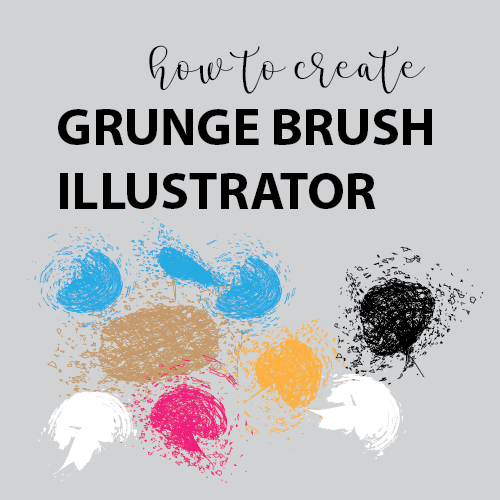
Today, I am sharing an easy way to create grunge brush in adobe illustrator. It’s a vector graphics tutorial showing you all the steps to create paint brush effect in your creatives. Grunge texture or grunge effect is the messy look in your design that gives a feeling that something in form of scattered particles or in small pieces lies in random positions. It’s a trendy and creative way to add these type of design in your illustration. You can also consider this as splatter brush effect like the paint brush that you can use in your graphics and use the technique to add in your graphics. On the internet, you can find various places where you can find premade grunge brushes but here in this tutorial, I am showing you step by step to create your own grunge brush with creativity. Grunge brushes in the illustration can be created in a variety of ways that depends upon grunge look and requirements. I use the simple and easy technique that you can easily adapt to create your own grunge brush with creativity. The grunge brush created in this video tutorial is 100% vector created in adobe illustrator CS6. The color mode is CMYK with the high print compatible resolution that you can easily use for print and web creatives. Watch Video Tutorial – Grunge Brush Illustrator Watch time: 7:55 Tool Used: Adobe Illustrator CS6 Download Project File: Click Here… Step by Step Points to Create Grunge Brush You can follow video tutorial and also follow manual points to create your own grunge brush in illustrator. Create Ellipse in oval style using shape tool. Turn off the fill color and make the stroke color to black. By using Knife tool, you can badly chop the oval. Place lines in like you create small squares in the oval. For the better view, watch the video tutorial. Select the overall shape and make the stroke thinner just by adjusting stroke weight to 0.5 pt. Go to Window – Align. Use Align tool, Make the horizontal Distribute Center. Select each layer and go to, Effect – Distort & Transform – Roughen. Adjust settings: Size – relative 24%, Details: 25/inch – corner (Mark check on Preview so you can see the changes). Now select each and everything together and go to, Effect – Distort & Transform – Transform and make transform adjustment. You can see the details at 3:11 in the video tutorial. Transform Settings: Scale: Horizontal & Vertical = 0%, Move: Horizontal =-92px Vertical = 72px, Angle: 42 degrees, Option: Random, Choose Middle Point and Copy: 1 Press Ok to Transform settings Now select again and go to, Window – Brushes. Drag the shape to brushes window to create art brush. Now choose colorization method – Tints and Shades Press Ok Use Paint brush tool to draw Grunge brush. You brush is ready! Now you can expand the shape to add different colors to your brush. For an easy view, you can follow the video tutorial. Simple and easy tutorial to add grunge brush in illustrator. Illustrator Tutorials Might be Helpful for you: Adobe Illustrator tutorials How to Create Rope Brush Illustrator Golden Ration Logo # 2 – Floral Design Create Smoke Vector Effects in Illustrator How to Create Chalkboard Background in Adobe Illustrator How to Create Neon Glowing Light Effect iPhone x Vector Template – Mockup
So you are looking to increase your website traffic. Here, in this post; I will share how to drive traffic to your website fast. It’s a 4 step blogger guide that you can follow to get quick traffic. If you are new to blogging and struggling with unique traffic then you can easily follow the guide to get targeted traffic. It’s an ultimate guide that can be beneficial for people looking to start a new blog. Driving traffic to your website is simple if you meet the basic website standards that include: Web hosting service User-friendly Website design Responsive Web structure Website performance Quality of Content SEO friendly content Let’s dig into it if you are ready with this!! If you need any tweak in above-mentioned points then focus on it on the priority basis as it helps you to grow as professional, sustainable and long lasting blogger. Why am I mentioning above points for standards? Nothing Better to Learn from Personal Experience and Best Practices… I started blogging in 2010 just to fulfill my hobby to write about tech info so I managed a blog using Blogspot but fortunately, it grew well and made identity then I realized that I need a self-hosted blog where I can work with all freedom rather working with limited features. Self-hosted blog or website will give you the liberty to customize, adopt new features and build your identity as a brand. So after 2 more years (long time), I found Dillenium. Build Strong Web Foundation to Manage High Traffic For me, web hosting services are important as it helps to build a strong foundation to run the blog with increase website traffic or load. If you are looking to get a new website or interested to migrate your current host then I prefer Bluehost as it’s the best hosting services provider with an economical package. Blue host WordPress hosting package is the most demanding one and I normally prefer my clients and customers to with that but it all depends on you and your requirements. Never Compromise on Best Website Theme and Structure Next, I focus to get best website theme and structure as it helps to increase website traffic fast in an organic way. Google also prefer highly responsive and well-coded website to index with improved ranking. Responsive and user-friendly websites get people attraction and increase more chances of subscriptions and engagements. Content is the King!! Quality of content is the paramount part of this competitive world of internet. If you are not providing quality content related to your niche then you will get hard time to get quality traffic. To increase website traffic, you need to write sharp, crisp and cutting-edge content that will mark your value among your competitors. Drive Traffic to Your Website using Organic SEO Content SEO driven content will automatically increase website traffic from search engine. So focus to write SEO based content that can directly hit your target audience to get engage with you. I recently wrote an article on Organic SEO Tips so you may have a look in that to increase your website traffic in an organic manner. Now Consider, you have everything in a place and still struggling to get traffic. 80% people are curious!! When I do SEO, most of the struggling clients have questions like “how to drive more traffic to website fast” and is there any speedy way to “increase website traffic”. People want it should be a nightmare as when they open their website in next morning it should be on Google 1st page. I always say them be focused, maintain your consistency and remain persistent to your work. It’s a gradual process of ranking so we need to work step by step to move with higher rank. And I believe it makes sense. On the internet, everything relates to “Power of words”. So to drive traffic to your website or blog, you have to be more focused on your “Keywords” based on your target audience. So keeping this mind, let’s move forward to find the way like how to drive traffic to website with the potential audience that interacts with content, make engagements, connect others and help to promote your blog. To be very honest, It seems like magic! But it’s not… It’s simple and organized way of working to get others indulgence in your work. STEP 1 – Drive Traffic to Your Website Using Social Media In real time, social media is the real power that you can’t ignore!! As I believe SEO is the time taking process but long lasting until or unless the search algorithms remain same. But if you want to increase traffic in an instant way then social media is the game changer. … But how? What needs to do to get viral on social media? I must say… It’s Social Strategy! That makes you viral on social channels. The first recommendation is to make highly demanding clickable content. But before that, you need to analyze the type and nature of every channel that you are using. Like; Facebook, Twitter, Instagram, Pinterest all are different so you need to adopt a different strategy to get interact with your audience through these channels. Social Media Presence will Help You to drive traffic to website along with: To get targeted leads Network you with your target audience Build a community Reduce your marketing budget Promote brand identity To increase website traffic Best idea is to make your website social friendly like the post that you add can easily be shared by others when the visit. Add images to your website that are Pinterest friendly. Pinterest is the Live Search Among social channels, I love to use Pinterest as it creates instant traffic and the good point is your pins remain live in Pinterest search for long term. I personally multiplied my sale on my shop using Pinterest. As a matter of fact Pinterest search is the strongest search among search engine and if you […]
If you are looking to make money online then it’s time to get a list of best websites to bookmark to expand your business with global customers. Here, I am sharing best websites that you can blindly trust to bookmark in 2018 to make money online. The Internet is the great platform to make money online. If you are looking to expand your business with global business customers then you must look into below websites as per your skills and expertise to start an online business with confidence. In 2018, competition will be tough as many sellers are in the market but buyers are also there so you can explore your niche to market your business at the global level. As per my recent research, I found there are so many websites on the internet that encourage new sellers to open shop but due to lack of traffic and inappropriate SEO strategy the traffic doesn’t come up and later people close the business on that places. All of these listed websites are trustworthy and you can confidently bookmark them to make your startup. With the help of these websites, you can open online shop/store and list your product and items to sell. All of these websites are world prestigious websites and people are making millions of dollars by listing their products. Why am I saying to “bookmark” these websites? Bookmarking is the easy way to keep your research intact in your bookmark favorite list. You can easily track these websites if it resides in your bookmark folder. Follow the Websites to Bookmark 1) Etsy Etsy is the lucrative and highly demanding marketing place for both sellers and buyers. You can easily open your shop and list your product to reach your target marketing. Etsy founded in 2005 and currently has 1.9M active sellers with 45M active items listed for sale. More than 31.6M buyers are there on Etsy. Etsy takes the minimal cost of $0.20 for each listing that you add to your shop. If you have skills to create handmade or vintage items then you can choose Etsy to make your startup and I swear you will love it and find it one of the best place to make sustainable money. Etsy is the best website to bookmark to make your online startup. Here is the mini guide to start an Etsy Shop with Increasing Sale Earn 40 Free listings to open an Etsy Shop Also, have a look at Etsy SEO guide to get targeted customers. 2) Creative Market Creative Market is another online platform recommended for creatives to sell and buy digital products. If you have skills in graphic design, Photography, WordPress themes or digital good then it’s a great place for you to list your product. Creative market founded in 2012 and according to Alexa ranking, it stands on 2089 which fabulous. Envato, iStock, Shutterstock are their main competitors. You can easily bookmark this website if you belong to the creative field and interested to sell digital items. It’s super easy to automate the sales process to make money. 4) Upwork Upwork (formerly Elance, Odesk) is the best place for freelancers to show their skills and expertise to the world and get professional projects from worldwide companies. On Upwork, you can establish your online company to start a business and make bids for the listed projects to finding work. There is escrow payment system to get paid so it’s recommended for technical freelancers like copywriters, websites designers, graphic designers, developers to make their company to start work. 5) CafePress CafePress is the gift shop with the unique idea. Founded in 1999 by Fred Durham and currently has more than 1 billion items in the store. You can instantly start selling on CafePress just by uploading your design and concepts and it will be added to your cart as the product will sell. Simple and quick way to start selling online. 6) Zazzle Zazzle is an American online marketplace where you can sell your product, designs, and art to the world. It basically connects designers and customers to create their own product. Zazzle offers 3 ways of selling to designers, makers, and associates. To get more info, click here. In case of more questions: simply follow the link. 7) Cargoh Cargoh is best for artist and designers to sell their work. You can list your product for selling. It basically connects buyer and sellers for a particular product. If you are designer or artist then you must have a look at Cargoh categories to list your work. Here is the link to start selling… 8) iCraft iCraft is the best website to place handmade crafts and gifts to sell online. If you have expertise or skills to design handmade jewelry, home accessories or sewing and knitting then icraft is for you to explore. Bookmark the website to start your online shop. 9) eBay Ebay is the well known multinational e-commerce platform with the big repository of seller and buyers. eBay formed in 1995 by Pierre Omidyar. You can sell and buy a variety of product on eBay as per your requirements. If you want to start then explore the website and list your product in a specific category to start selling. 10) Amazon Amazon Inc. is another e-commerce platform known to everyone and one of the best websites to bookmark to start your online business to make money. People make million by using Amazon categories to sell their items. It’s an American electronic commerce and cloud computing company founded by Jeff Bezos in 1994. Here is the step by step guide to starting selling on Amazon. So, if you are looking to extend your local business to global level then these websites will help you to grow in 2018. You can also open shop at multiple places to grow your sales figure. You can blindly bookmark these websites to make money online. Simple, Fast, and Trusted method to improve business presence in online world. Related Articles that might be helpful for you: Websites for […]
Here you can watch step by step process to create fast food logo design in Adobe Illustrator. If you are learning illustrator or interested to create your own logo design for your business then this video tutorial will help you to design a professional logo. Logo design can be design in a variety of ways here I designed the logo concept based on “Fast Nuggets”. It’s a small food restaurant based on fast food and a special product is Chicken Nugget. To illustrate this logo concept, I created nugget box, nuggets, placement in a box and added stylish text assemble to create a final look. The design process of this logo design is simple and you can add more embellishment to this design if you want to customize the concept. This video tutorial is recommended for beginner and learning professional logo design. You can download the template file and download to open in Adobe Illustrator for further customization. It’s a vector logo design, the color mode is CMYK and resolution is 300 PPI. You can use this logo design with your business name. If you are new to graphic design and interested to use this logo then you can download the 30 days trial version of Adobe Illustrator and edit the file. Download link is under video link. Check it out!! Watch Fast Food Logo Design Video Tutorial Tool Used: Adobe Illustrator CS6 Watch time: 11:23 Video covers following Topics: Create Nugget Box 0 – 3:30 Design Golden Chicken Nuggets 3:31 – 6:15 Place Nuggets in Box 6:16 – 8:02 Design Text 8:03 – 10:30 Assemble Design 10-31 – 11:23 Download Project File: Click Here… Font Used: ShowCard Gothic (default Illustrator font) If not available in Illustrator font library then you can download the font from here… Illustrator Tutorial Might be Helpful to Watch: How to Create Rope Brush Illustrator Create Smoke Vector Effects in Illustrator How to Create Chalkboard Background in Adobe Illustrator Golden Ration Logo # 2 – Floral Design iPhone x Vector Template – Mockup
Getting successful on Youtube is easy! if you follow these tricky ways to increase Youtube Subscribers with more view count. For me, active subscribers are more important to have as it will add more instant views to recent upload which will add value to rank higher in Youtube search. Almost 80% people want to watch rather read so Youtube is the best tool to get your audience. If you are new on Youtube or frustrated after uploading videos without any subscriber or views then this post is for you. Here, I will share all the hidden details that you can follow to get success on Youtube channel and increase Youtube subscribers. Before digging into, I want to recommend you that getting subscribers should not be your objective. I want YOU to get ACTIVE subscriber that become part of Youtube journey with solid interaction. Yes, it’s easy if you are visible on Youtube like you see a list of other videos. Step by Step Ways to Increase Youtube Subscribers When your video will be visible, you have more chances to get views and subscribers as well. So let’s start now to dig into it. First, you need to remember following when you prepare your videos: What will be scope of video Is your video will be demanding Make quality video with quality content The Strong strategy makes your job easy! 1) Add Targeted Keywords Through Out in Your Channel Adding related keywords in your channel is called channel optimization. For example; your channel is about graphic design then you need to mention related keywords like graphic design, graphic designer. Now make a strategy of sub keywords like what are you doing as graphic designer like; Photoshop, Illustrator, Indesign.. etc; Next, you need to add these keywords to your Profile, Channel art and About section. In this way, your channel will be discovered on Youtube search. Make sure, you are using demanding keywords so you can be search be more people. For this you can use tools to find related keyword value: Google Keyword Planner Uber Suggest Now next step is to add video to your channel. 2) Optimize Youtube Video Before Upload Yes, optimize your Youtube video before upload and here are the points you need to follow when preparing your video: Add targeted keywords to your video if you are talking in the video. Say those words multiple time. It’s required because Youtube interpreters judge your video content through keywords so try to do and see the difference in your video views. Save your video file with the main keyword. Design thumbnail of video by using the same keyword. 3) Optimize Youtube Video After Upload After uploading video, you need to follow below points: Add the same keyword that you add in video file name and thumbnail in video Title. Make your Title lengthy but not more than 100 characters as it’s a limit. Greater than 100 the title characters will be clipped off. Search title suggestion from Youtube search by focusing on your keyword. 4) Optimize Your Video Title with Focused Keyword It’s simple and easy! You can write your keyword in Youtube search and the autofill option will suggest you about people demand in the search. Otherwise, you can use Uber suggest tool to get details. My personal opinion is to get help with Youtube search options as it’s best to provide targeted keyword. Here is the example to understand this concept in an easy way. Like my video is about graphic design and I want to show people that “How to make flower in Adobe Illustrator” Here, you can see flower and illustrator is my main keyword and I want to search this from youtube search like below picture So, in above picture, you can easily look at the targeted keyword that Youtube suggests me regarding my video. Now, I will pick one keyword and add it in my video Title. Like; I picked “flower in Illustrator” And my video Title is: “How to Make Flower in Illustrator” So It’s a simple technique that I used to optimize my video Title. Now next step to move Youtube video description. 5) Youtube Video Descriptions Optimization Descriptions are always important to improve the visibility of your Youtube channel. You need to add proper keywords in your Youtube descriptions especially in 1st 100 words. Keep your description lengthy but don’t use the irrelevant content. Here are the main points that you need to follow to fully optimize video description: Add your main or focus keyword at the start of the video. Like in above example, we use “How to make a flower in Illustrator” so mention this keyword in your description so youtube search finds your video when someone searches it. Add related video links in your description of the same channel You can share related information in the description that you want to share with your viewers. Add contact information. 6) Don’t Forget to Add Optimized TAGS Tags are super important as it will help you to rank your video on youtube search. You can find related keywords and phrases just by writing keywords on Youtube search. It’s a simple technique that you can use to find related keywords and tags and almost 70% Youtube users who have the high number of view using this technique. 7) Add Annotations /End Cards Annotation helps to create more engagement with your audience by connecting them to other videos in your channel and it’s an amazing feature that will keep your audience intact. There are also some other options in annotations like to encourage the audience to subscribe to your channel. You can find this option in your video editing mode so check it out and explore this option to get more views. 8) Add Video to Playlist Playlist basically group your related videos and it will be visible to the related audience if somebody searches for it. Whenever you add video then add it to the related playlist. The best feature of […]
Makeup is all about enhancing beauty. Here you can watch 14 Best Youtube makeup artists inspiring with beauty videos. You can learn beauty techniques from these vloggers to add value in your work. Every woman wants to be beautiful in fact she is. Little application of makeup can enhance beauty features to look exceptionally good. Beauty and Makeup bloggers and Youtube vloggers are doing wonders just by showing their divine makeup skills. Young girls and beauty learners can learn their technique to apply in their work. Currently, beauty and makeup vlogging is the highly demanding category and women love to watch new makeup techniques. If you are learning makeup or interested to start your own beauty or makeup blog or might be you want to become youtube makeup artist and looking to start your own channel then these makeup channels can help you to get inspiration to brand your identity. Successful and Best Youtube Makeup Artists I tried to list successful and best youtube makeup artist who made effort created successful makeup channel. Most of them have become a celebrity now. So, let’s have a quick look! 1) Michelle Phan SUBSCRIBE 8.9M Michelle is such an inspiration in her work. She is a dream lady who knows how to make up and how to transform makeup into brands. Michelle loves the power of makeup and says I live, I love, I teach, but most importantly I learn. She quotes on her channel, “Live as if you were to die tomorrow. Learn as if you were to live forever.” – Gandhi 2) Nikkie Tutorials SUBSCRIBE 7.9 M Nikkie is amazing and she knows how to capture people attention through tutorials. She is basically a genuine hair and makeup artist who has perfection in her work and that’s the key to her success. Nikkie believes that when life gives you lemons, punch it in the face and ask for glitter! and that’s really true. She is the true inspiration for learners and knows how to transform beauty challenges. 3) Carli Bybel SUBSCRIBE 5.6M Carlie Bybel is absolutely the divine beauty and makeup guru. She knows how to transform features with elegance. Her makeup tutorials are inspiring and women love to follow her. She is amicable and candid and it shows from her videos. She beautifully demonstrates the makeup tricks that anybody can adapt to look beautiful. If you didn’t explore Carlie yet then check here channel and I am sure you will love her. 4) Tati SUBSCRIBE 3.3M Tati says that she is totally addicted to makeup and it shows from her makeup videos. She knows what’s on trend and how to apply makeup that looks graceful with all time. Women like Tati techniques, her beauty tips and tricks and mainly here unbiased product reviews are awesome. 5) Jaclyn Hill SUBSCRIBE 4.5M Jaclyn Hill is also one of the best youtube makeup artists and running successful makeup channel. She is professional make artist and makes makeup tutorials on different makeup style. Jaclyn is truly energetic and full of life. She makes makeup tutorials and unbiased makeup reviews on different beauty topics like the smokey eye, about brows, celebrity makeup tutorials inspired by Kardashians and Jenners and others. Check out her channel and watch how amazing she is… 6) AndreasChoice SUBSCRIBE 4.2M Andreas is the beautiful youtube makeup artist from California. She makes beauty tutorials based on trendy beauty and makeup. She hugs life and become an inspiration for others to hug life. Andreas make up techniques are really simple that can make you stunning just by following her beauty tips and makeup tricks. 7) Lauren Curtis SUBSCRIBE 3.6M Lauren makeup tutorials are simply awesome. If you are women and still didn’t explore Lauren then check it out and I believe you love her tutorials and the ways she does makeup. Brows alignment, contouring, smokey eyes and foundation application and many other technique you can learn from Lauren. 8) Wayne Goss SUBSCRIBE 3M Wayne is the successful and best youtube make artist who loves makeup and when you watch his tutorials then you will love makeup too. By watching Wayne tutorial, you can improve your makeup application skills. Wayne has 15 years of makeup experience and it shows off when he makes make demos. 9) Bubz Beauty SUBSCRIBE 2.9M Bubz says she is willing to try and willing to learn and by watching Bubz colorful makeup tutorials you will learn a lot. Bubz is such an inspiration in her work. She transforms beauty in real time. She know how to makeup according to event requirements. You can watch several type of makeup styles on her channel. 10) Kaushal Beauty SUBSCRIBE 1.8M Kaushal make up style is inspiring and she wonderfully wears all type of makeup looks. She has expertise in eyes makeup, application of concealer and she also loves lipstick. Her makup tips and tricks are easy, adaptable, simple and fast. If you follow her then you can do professional makeup in short time. She is the true inspiration as makeup artist and with time she is growing and moving forward. All the best to Kaushal! 11) Huda Beauty SUBSCRIBE 1.8M Huda is the founder and CEO of Huda Beauty. She knows how beauty can be transformed just by applying few tweaks of professional hands. Huda believes beauty and professional make not only enhance beauty but also make effects on mood and confidence. Huda also running beauty blog about beauty hacks, DIY’s makeup tutorials. 12) Lisa Eldridge SUBSCRIBE 1.7M Lisa is a mother and famous makeup artist working with the worlds top A-list celebrities, models, magazines and brands. She only features products that she likes and want to try. Lisa professionally running makeup channel and her makeup demos are outstanding. She is simple, elegant and her style of makeup is brilliant. Learners can learn her makeup technique to enhance their skills and expertise. 13) Stephanie Lange SUBSCRIBE 1.1M Stephanie is the professional and one of the best youtube makeup artists from Sydney, Australia. Makeup is all […]
If you are looking how to create rope brush illustrator then here in this post you can watch step by step process. Rope illustrator tutorial will guide you in a simple way to design rope brush that you can use for multiple purposes of designing. Rope brushes can be designed in a variety of ways. If you are learning illustrator or the way to design ropes then you can start with a basic rope design. In this way, you will get design concept and later you can apply some diverse technique to create other types of rope design. This rope brush designed in Adobe Illustrator CS6. 100% vector rope design that you can easily use for web and print creatives. Watch Illustrator Tutorial – Create Rope Brush Illustrator Watch time: 9:16 Download Project File: Click Here… Step by Step Points to Follow Manually Steps to Create Rope Shape Using shape tool, create a simple ellipse in oval style. Click on pen tool, choose Convert Anchor Point tool or press Shift C from the keyboard. Click on middle first anchor point of oval and middle last anchor point. It will convert into sharp pointed edges. Now intact direct selection tool or press ‘A’ from the keyboard. Click on first pointed anchor point at the top of the oval and drag it to the right side. In the same way, click on last anchor point of middle last anchor point and drag it to the left side. Now click on the left middle anchor point and move it upside using upward arrow key. Now move the right middle anchor point and move it down. It will form a shape of a rope. Now go to Object – Path – Offset Path and create another rope shape. (Watch the video if you are not sure about the steps. Now using PathFinder – Subtract the background and add color to rope shape. Make a Rope Chain Now move the rope shape that we created with some angle on the right side. Create a copy of angular rope shape and paste in the same place and move it to the left side. It will create a rope structure in chain format. Create a rectangle using shape tool Keep the rectangle in middle and make it invisible like keep the fill and stroke color to ‘off’. Now select each and everything and create a brush. Add the Rope Structure to Brush Section Keep everything selected and press F5 to open Brush panel. Or, explore it from Window – Brushes. Drag the selection to Brushes panel and create the Pattern brush. Name the rope pattern. Use the Method Tints and Shades. Press Ok. Design Rope Brush Pattern Create a circle and select the rope brush from Brush panel. Drag a circle and you will get rope brush illustrator design. You can use in a different way like using PaintBrush tool and design it as you like :-) So this is the simple way to design Rope brush illustrator. For a quick view, watch illustrator tutorial to save time. All the best!! Illustrator Tutorials Might be Helpful for you: Golden Ration Logo # 2 – Floral Design Create Smoke Vector Effects in Illustrator How to Create Chalkboard Background in Adobe Illustrator How to Create Neon Glowing Light Effect iPhone x Vector Template – Mockup
If you are looking how digital marketing helps business to grow in Dubai then this post is for you. Dubai is the most lucrative place for business owners, entrepreneurs, business investors to get potential clients and customers and that’s the reason why global business are approaching Dubai to meet their target clients. From large enterprise to small business all are lucky to have businesses in Dubai and in UAE. Dubai thinks in big and broader way so the businesses need to adopt smart thinking to grow and develop by keeping all the contemporary trends and standards in place. Many startups and new ventures are going on… But still, there is so much that the market can avail by effectively utilizing the digital channels to grow their business. But how… Is this all about having a business presence on social media or presenting responsive website? No, it’s not like that… If it is, then why the big companies are having the hard time to find targeted customers or clients. Every business has it’s own target audience that needs to explore with well defined regional marketing strategy. Let’s take an example of real estate business in Dubai that fluctuating in a periodic manner. Market numbers showing big variations to target clients. After recession market is growing but real estate companies are making compromises to deal with customers as they are lacking to reach new customers at a prime time. I think, effective digital marketing strategies, long-term and real-time can help business to grow using online channels on a limited budget. 1) Time to Think About Digital Automation Automation is significantly important when we talk about the application of digital strategies and an insightful digital marketing consultant can help businesses to grow by approaching the target market with effective marketing campaigns that can easily convert CLICKS into a customer or in profitable SALES. World is changing, rules are taking new shapes, customers know what they want so business need to know how to reach them in a single click. Global business success stories are in front of us like how they make billions just by making automated digital marketing campaigns and improve their ROI. Digital automation basically helps to reach your target market in a click and convert the click into leads. That’s the power of digital automation! and it should not be exploited. 2) Think Smart to Get Digital! … but how? A highly converting digital marketing landing page can do the miracle to grow your business in your community. You can easily check result through split testing. On the internet, quality matters rather the quantity. And, it should apply to content. I have said it many time in my connecting posts that Content is the king! on the internet that can easily drive people on your way. But the question is what sort of content is required for high conversion? Fully optimized, responsive, targeted content can work as a catalyst to activate your target people that might be your client or customers. 3) Strategically Allocate Digital Marketing Budget I saw many companies who are investing million dollars on marketing campaigns but unable to improve their sales funnels according to their investment plans. How to DEAL in this Situation? I must say, whatever the product, services or business you have. You should know about who is your target customers and how to approach them. Let’s take a case: For example, A real estate company in Dubai investing $30,000 per month on marketing campaigns that include social media ads and regional Adwords campaigns only able to convert sales with 20% of their initial investment. In the same way, another company with the same budget able to convert 60% higher sales results can make a difference. So, in both cases, the thing that matters is called “Strategy” And the strategy is to create engaging content and targeted content and show them to people who need it rather showing to generic or non-targeted people who only want to see but not able to take action. So, one thing is proved… Call of Action is important to get substantial sales result. 4) Don’t Think about Business, Think about Building Relationships A strong digital marketing strategy can engage your audience as per the requirement but the business needs to deliver product or services by keeping all standard of quality as you promise to your customers. This relationship will build trust and enhance your market presence in a more reputed way to encourage others to take action on your business. 5) Explore the Power of Mobile According to statistics, almost 80% of the traffic comes from mobile devices so the marketing campaigns need to be mobile friendly. Mobile customers are real power so you can effectively use this resource to automate your sales process. Mobile apps, digital ads, mobile compatible or mobile-friendly web content is the real-time requirement. Google also encourages highly responsive and mobile friendly content so make sure your content and campaigns are mobile friendly. 6) Digital Marketing Helps Business to Improve ROI Yes, that’s the power that you can’t get from classical marketing system. I am not saying that classical marketing doesn’t work. It works but it multiplies the results when it embeds with digital marketing where hundred of clients and customers waiting for you. I wrote an article about the strategy to improve digital ROI in 2017-2018. You can effectively use these tips in your marketing strategy to get solid results in terms of numbers on return on investment. Intelligent and smart investment with a small budget can also help businesses to improve their ROI in a short time. There are many businesses that started within $1000 and now they become $1 million business. That’s the power of digital marketing, strategic content writing and building a direct connection to the target audience. Final Words… Well, it’s a reality that competition is tough to stand out presence and getting results from them. I have worked on several marketing campaigns of small businesses and as […]
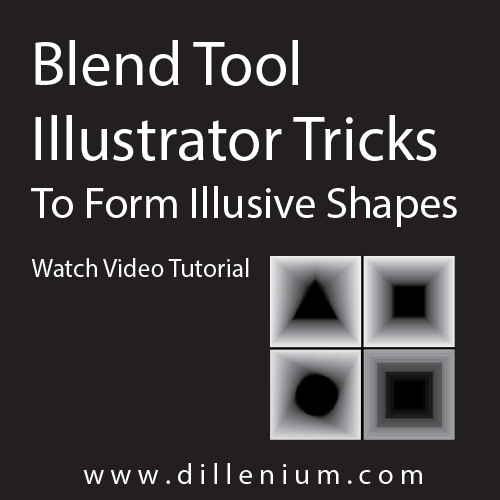
You can use blend tool Illustrator to form illusive shapes just using simple tricks. You can watch this Illustrator video tutorial for a quick look! CC, CS6 and older version of Illustrator also support this concept. If you are working on conceptual creatives or learning illustrator then you can watch this tutorial as I created simple, illusion based pathways by using blend tool of Adobe Illustrator. Blend tool illustrator is the amazing tool! that you can easily use to blend different objects in a variety of ways. It’s all about applying creativity in your work. By using blend tool you play with different shapes, colors, effects to form different objects. Here, in this video tutorial, I created pathways that can consider as mysterious opening or some sort of illusions that you can easily apply in flyer, posters or in related designs. Even if you are learning Illustrator then this tutorial will give more concept to think ahead by applying simple blend tool tricks in your work. You can also follow the steps manually: 1) Create a normal Square using rectangle tool. You can invoke it by pressing M from the keyboard. 2) Go to Object – Path – Offset Path and create another Square inside. Offset value is: -1.8056 inches. 3) Change the color of small rectangle to Black and Big square will be light gray as you can see in video 4) You can check blending in both ways by keeping the stroke on a smaller rectangle in the middle and by removing it. Stroke basically plays a big role to create shape illusions in a different way. 5) Select both shapes together and Press W from the keyboard or click on Blend tool on the left toolbar. 6) Now click on one anchor point of big rectangle and one anchor point of small rectangle to blend shapes. 7) And, you will get the required shape with Square illusion as you can see in the video. 8) Now repeat the same steps by changing the middle shapes. You can change it to Circle, Triangle, Polygon or others and apply blend tool to form shape illusions. 9) And you are done!! Simple and easy and you can quickly do it in 2 mins. Blend Tool Illustrator Tricks Video duration: 5:50 Here is some more Illustrator tutorials might be helpful for you to learn: Golden Ratio Logo Design in Illustrator How to Create Smoke Vector Illustrator Graphics Create Chalkboard Background Effect in Illustrator Golden Ration Logo # 2 – Floral Design iPhone X Vector Template in Illustrator