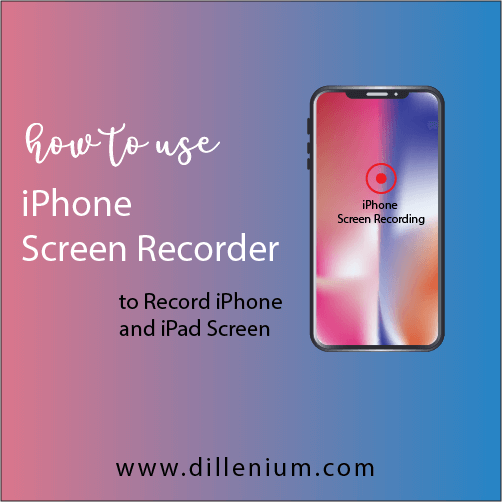
Recently, I come to know that IOS 11 providing a feature to record iPhone screen by the help of iPhone screen recorder. It sounds awesome and super cool to use it without downloading any other application! So if you are looking how to use iPhone screen recorder then this post might be helpful for you to move forward. iPhone feature and functions are diversifying with time and in recent IOS version 11 you can easily record your iPhone screen just be follow below steps: How to Intact iPhone Screen Recorder Steps To Follow To Record iPhone Screen: First Add Screen Recording option to Control Center Go to Settings > Control Center > Customize Controls. Move down in a list to choose Screen Recording tap. Click on + Sign of screen recording. Now, Open Control Center just go to Home screen and swap from down to upside of iPhone screen. In control center list, you will get the option of ‘Screen Recording’. Just click on grey recording circle and it turns to Red to turn on screen recording. Again click on Red sign of screen recorder and it will turn off. So this simple and easy to record the screen of your iPhone without downloading any other screen recording app. How to Find Screen Recordings after Record You will get all your screen recording in ‘Photos’ section so you can track your recording from there… It’s a simple step process to enable screen recording option in IOS11. If you are using older version then you can take help with 3rd party screen recording apps. IOS11 features are more refined and fulfilling user need and requirements. Related Articles: Starting a blog checklist for smart bloggers How to drive traffic to your website fast Simple Ways to Improve Blog Post Ranking How to Increase Youtube Subscribers with More Views
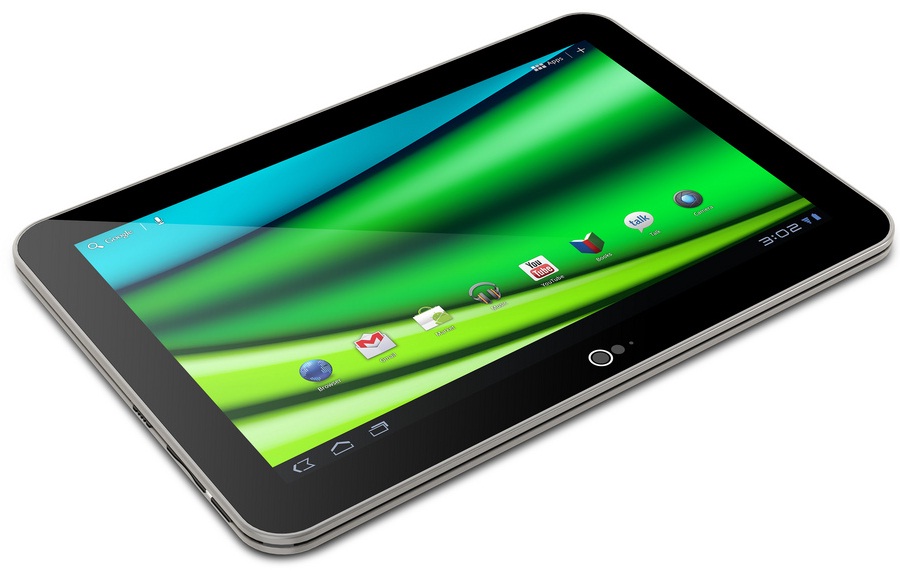
As Apple announced their plans to unveils the iPad 3 on March 07, on the very next day, Toshiba immediately introduced the tablet “The Excite X10 LE” which is the world’s lightest and thinnest tablet includes a 1280×900 10.1-inch AutoBrite display, along with a OMAP 4430 1.2GHz dual-core processor. Other features include: MicroUSB, HDMI, and microSD slots along with WiFi, bluetooth support and a 5-megapixel camera capable of video capture in 1080p, along with a 2-megapixel front-facing shooter for video chat. The tablet will be available in 16 GB for $529 and 32 GB for $599. It’s been under claim that X10 LE measures just 7.7mm thick and weighs 535 grams. Compare that to the iPad 2, which is 8.8mm thick and 601 grams. Just because it’s super-thin doesn’t mean the X10 skimps on features. Although the use of Android 3.2 is a bit disappointing, Toshiba promise it will get Ice Cream Sandwich before spring is over. Inside you’ll find an OMAP 4430 dual-core Cortex-A9 chip running at 1.2GHz, 1GB RAM, 5MP rear camera, 1.3MP front camera, and the tablet comes in 16GB and 32GB configurations. As for the display, it’s a 10.1-inch panel with a 1280 x 800 resolution. The Excite X10 LE will officially go on sale March 6. The 16GB unit will set you back $529.99, while the 32GB unit takes that up to $599. It’s therefore $30 more expensive than the iPad 2 16GB, but manages to match the 32GB on price. ReadAnticipatory Specifications of iPad 3
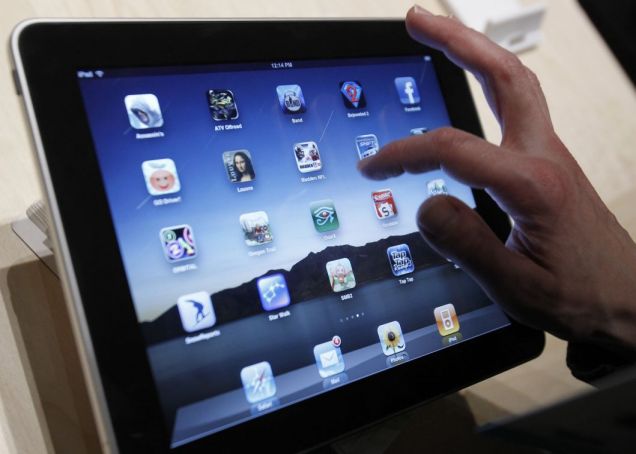
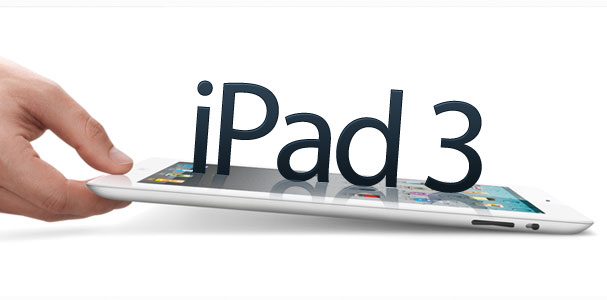
iPad 3 going to launch next week, here is the expected specifications that has been revealed by some unofficial sources. According to the latest news, the Apple iPad3 will feature a new, thinner and sleeker design, down nearly 20 percent in size compared to the iPad 2. It will also support full touchscreen high definition Retina display with a screen. Most probable iPad 3 will be configured with iOS 5, which will host the multi-touch gesture technology. However, analyst and tech enthusiasts predict that Apple would introduce OS X Lion for the tablet, since it will be powered by a quad-core processor. Apple enthusiastic to include the iCloud technology in iPad 3. By using that iCloud users can store photos, apps, calendars and access songs on iTunes without having them to store in the phone’s memory. Fingerprint has already been granted patents on this technology, and is working real hard to make the iPad3 fingerprint proof. The touch screen will be coated with oleophobic materials, which will reduce the oil and fingerprints on the screen. The new tablet will come with LED flash to support the camera. The display comes with a 2048 x 1536 pixel resolution display that can enable HD 1080p capability for watching high def movies on its 9.7 inch LCD screen. iPad 3 will provide compatibility with a wireless standard called long-term evolution, or LTE. Various carriers are already rolling out LTE networks to give users faster access to data through out the world. Smartphone manufacturers, including Motorola, Samsung and Nokia, have already introduced smart phones that work on the faster networks. Apple is bringing LTE to the iPad 3 before the iPhone because the tablet has a bigger battery and can better support the power requirements of the newer technology. Now Apple is aiming to make the competition tougher by sporting an A6 Quad-core Processor in the iPad 3. This would make the iPad 3 as powerful as any high-end desktop.
Recently Apple reveals to unveil iPad 3 in a product event on March 07 which is going to be the 3rd generation of its best selling iPad tablet computer. The new device will sport a high-definition display, run a faster processor and work with speedier wireless networks. Apple already pioneering the tablet market sold more than 55 million iPads, generating at least $34.5 billion in revenue and now adding new model to provide more sophistication to their users. According to the specification which is not officially released but anticipation unfold The tablet will use a quad-core chip, an enhancement that lets users jump more quickly between applications. The new display will provide greater resolution than the current iPad, with more pixels on its screen than some high-definition television sets. The pixels are small enough to make the images look like printed material. Videos begin playing almost instantly because of the additional graphics processing. The introduction of the new iPad — which will be assembled by Apple’s main manufacturing partner, Foxconn Technology — will be Apple’s first major hardware release since the death of co-founder Steve Jobs in October. Foxconn also builds the iPhone and other Apple products and gets about 22 percent of its sales from Apple. Latest version of iPad 3 will provide compatibility with a wireless standard called long-term evolution, or LTE. Various carriers are already rolling out LTE networks to give users faster access to data through out the world. Smartphone manufacturers, including Motorola, Samsung and Nokia, have already introduced smart phones that work on the faster networks. Apple is bringing LTE to the iPad 3 before the iPhone because the tablet has a bigger battery and can better support the power requirements of the newer technology.
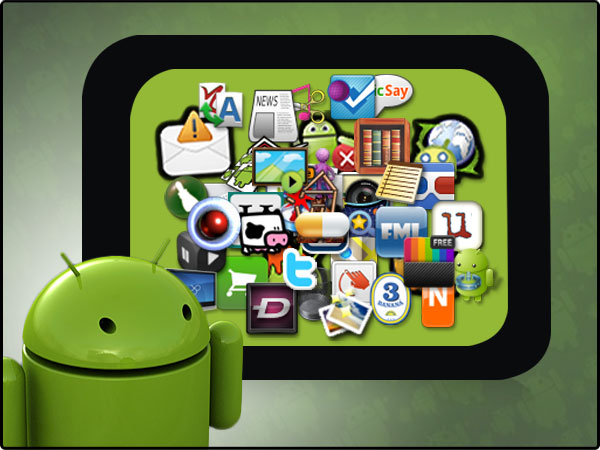
Android market is growing so rapidly, there are more than 40 lac applications of Android residing at Android app store that can be use to facilitate your business. On the basis of market reality, Android is still far behind from iTune application store both in term of quality and quantity. The competition is tough but both engaging to surf their customers to facilitate their businesses. Recently, I researched few applications from Android apps store that are freely available for market use. Several android applications, such as email client, SMS program, calendar, maps, browser, contacts, and others, have been developed in the Java language using the Android Software Development Kit tools and libraries. Android applications facilitate and optimize access to e-books, videos, movies, games, maps and other online resources from our home screen without having to launch a browser. With all these and other such features, Android applications occupy an important position in today’s communication in the modern world. HotmailMicrosoft has teamed up with developer seven to offer an official Hotmail app for Android, which facilitate users a simple, concise, clean interface, push notification support and enable you to manage multiple Hotmail accounts. WordPress for Android WordPress for Android started out as independent creation wpToGo, before WordPress decided it liked it so much it bought it up – hiring the maker to develop it in-house. It’s very feature-packed, with the latest version offering full integration with other apps, letting you spin content and send it directly to the app for easy updating. It could do with more image insertion tools, though.Samsung ChatOnChatON is a global mobile communication service that enables you to have better relationships with your buddies and groups of buddies.There are plenty of messaging tools on Android, but Samsung’s beats many of them by offering multi-platform support – with clients even available for older Samsung non-smart feature phones. CamScannerCamScanner is a very handy utility that lets you photograph a document – like a receipt, driver’s license, health insurance card – and save it as a PDF. From there you can crop and enhance the image and send it via SMS or email, or upload it to a cloud server. A January update adds password protection to specific documents. Google Sky MapA stunning app that renders Patrick Moore obsolete, by using your phone’s orientation tools to give you an accurate representation of the stars and planets on your screen. Point your phone at the sky, then learn what constellations are visible and if that’s a UFO or just Venus. Google Sky Map even works indoors, if you’re not keen on getting cold. BBC News AppWhile the BBC’s Android iPlayer app is a bit on the disappointing side, the corporation’s BBC News app is much more refined. There’s a stylish grid-based front page, plus you’re able to swipe from left to right to switch between stories in your chosen specialist category. A recent update also added a couple of Home screen widgets, too, plus the ability to submit your own news tips, as if the BBC was a small blog clamouring for content. Facebook for AndroidFacebook for Android is lacking in features compared to Facebook itself, but a recent update added Inbox support to the Android app, finally allowing its users to communicate in almost real time. The app’s fast and stable, with a simplicity that reminds you of the old days when using Facebook used to be bearable.Flickr AppAs well as supporting Flickr uploading, this app also lets you capture photos from within the app and comes complete with a set of filters, so you can hipsterise your life with ease. It supports sharing with Twitter and Facebook as well, so your other, non-photo-nerd friends can enjoy the results of today’s snapping session. RAC TrafficAn official production of the motoring organisation, RAC Traffic is dead simple – it guesstimates your location via the mobile signal, then pops up the current traffic alerts for your area. It’s much better than having to listen to the radio for the odd update about arterial blockages. WinampYes, the same Winamp from a decade ago. It’s had an Android app for some time, with recent updates adding support for iTunes, Mac syncing, plenty of music streaming options, new release lists and Shoutcast integration for radio support. It’s a fine, free media player. ASTRO File ManagerASTRO is nothing more than a Windows-style file explorer, but if you’re into tinkering and directly installing Android APK files yourself, it’s essential to stick something like this on your phone. It makes your phone feel like a computer, and makes you feel like you’re in charge of it. ASTRO still exists as a free ad-supported app, but you’ll have to pay for the full version without ads. Dolphin Browser HDDolphin Browser HD is a veritable trickster of a mobile browser. You can change this Android app’s look and feel through custom themes, add capability with Add-ons, or even navigate by gesture. When you encounter a pesky mobile site, you can don a disguise—for example, you can masquerade as an iPad—to unlock the un-cropped page. Flummoxed by Flash? No more, so long as you’re running Dolphin and Android 2.2. The browser lacks a full synching service, but it does support Google Bookmarks. Meebo IMMeebo IM facilitate chat on multi-protocol instant-messaging networks, including AIM, MAN, Yahoo!, MySpace, Google Talk, Jabber, and ICQ. Use a Meebo account and your IM history will be saved for you to access from any computer. Price: Free. Go SMS Pro GO SMS Pro is a fast and convenient SMS/MMS experience. More than a stock messaging app. It features chat/list style, pop-ups, backup/restore, scheduler, encryption, many themes, and more. Solid replacement for default messaging app. Juicedefender Do you love everything about your Android except its crappy battery life? JuiceDefender Ultimate is a popular app that conserves battery life by disabling the most draining components, specifically 3G/4G connectivity, when your phone is idle. You can get the free lite version, but I’d invest in the Ultimate version which lets you customize when to disable a signal; for example, if you’re listening to Pandora you wouldn’t want it to go offline […]
Viruses and malware usually cause great harm to files or other programs in your computer. The best way to protect your computer from these viruses and malware is by using a good antivirus software. But the biggest problem is that every new year more vicious and dangerous computer viruses are unleashed, which the older versions of an antivirus cannot handle. So it is highly advised to have an updated and newer antivirus. Updated antiviruses provide an effective virus protection. So today we have a list of Top 10 Antivirus for 2012. These antiviruses will help you keep your computer protected and secure. Check them out! Vipre Antivirus 2012 Vipre Antivirus 4 is a new Antivirus software that boasts a really efficient and lightweight scanning engine. While it is really good in efficiency, it does not provide great protections against phishing, spam and identity theft protection. Avira Antivirus Premium Avira Antivirus Premium is good in both, protection and performance. It has Advanced Heuristics Analysis and Detection (AHeAD) system, which can sometimes flag non-malware incorrectly. Trend Micro Titanium Antivirus + 2012 Trend Micro have just revamped their software. Trend Micro Titanium Antivirus + 2012 provides fast and lightweight protection against viruses and malware and even utilizes cloud technology to give real-time updates to your software. But still, it is not really great in providing defense against spam and phishing, and this thing makes it fall behing others. McAffee Antivirus Plus 2012 McAfee has been one of the most famous antivirus of all times. McAffee Antivirus Plus 2012 provides amazing protection against Viruses, Trojans, spyware and other threats. The thing which makes it fall behind its competitors is its lack of password protection and a not good defence against keyloggers. AVG Antivirus 2012 AVG is another extremely famous name in the antivirus market. AVG Antivirus 2012 boasts amazing malware protection, continual updates, LinkScanner technology and Social Media Protection. All these things make it one of the best antivirus out there. However, the awesome protection will effect the speed of your PC. ESET Nod32 Antivirus 5 ESET Nod32 Antivirus 5 provides really sophisticated diagostic tools, heuristic detection and almost slowdown of your PC. This antivirus provides exceptional protection for a very good price. The only downer of this antivirus is its inept and outdated user interface. Webroot SecureAnywhere Antivirus 2012 Webroot SecureAnywhere Antivirus 2012 is a new and cloud-based antivirus that provides a fast and effective protection against various types of malware. It offers lightning-fast scans, minimal system resource usage, automatic updates and free technical support. All these things make this antivirus one of the best of this year. Totally outstanding! Norton Antivirus 2012 Norton is yet another extremely famous and widely used antivirus. This year Norton Antivirus again comes with exceptional security, a light footprint and amazing technical support. So Norton Antivirus 2012 is one of top antivirus for year 2012. Kaspersky Anti-Virus 2012 Kaspersky Anti-Virus 2012 comes at number two on our list for a reason. It provides exceptional virus and malware protection at 100% success rate. It boasts an outstanding scanning of your system that keeps the threats away from your system. It is a comprehensive, always up-to-date antivirus that makes sure you are always protected and secure. The only downer is its price tag — but keeping in mind the great performance it delivers, this price can be totally worth it. BitDefender Antivirus Plus 2012 BitDefender Antivirus Plus 2012 is number one on our list. It is definitely the best antivirus of 2012. It boasts an outstanding, award-winning combination of high level virus and malware protections, social media defense, and comprehensive updates to make sure that your system is always protected. Some of the features that make BitDefender Antivirus Plus 2012 unbeatable and the best antivirus of 2012 are its new Virtualized Browser, Rescue Mode and Scan Dispatcher.